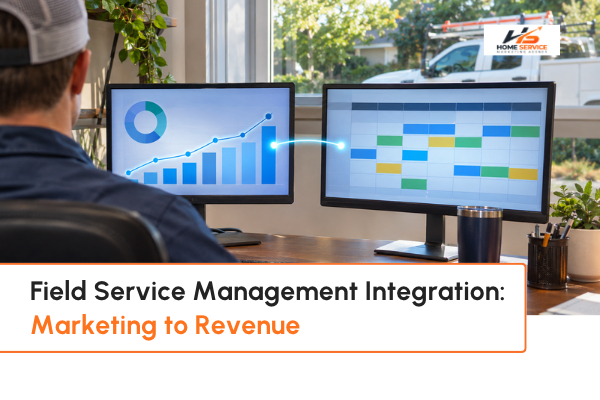
Connect Marketing Data to Real Revenue: Field Service Management Integration for Home Service Businesses
Most home service businesses can tell you how many calls their ads produced last month. Far fewer can tell you which campaign produced the water heater replacement that paid $4,000, or which one mostly brought in price shoppers. The difference is whether your marketing data stops at the phone call or follows the customer all the way to the invoice.
A field service management integration connects the software where your jobs live, such as ServiceTitan or Housecall Pro, with the platforms where your ads run. It isn't just for large companies. For a growing contractor, it's how you get answers instead of assumptions. This guide explains what that connection does, how it works in plain terms, why the numbers don't always match, and how to use the results. (Figures in this post are illustrative examples, not benchmarks.)
What a Field Service Management Integration Does?

Without a connection, your marketing reports and your job records are two separate worlds. Google Ads knows about clicks and calls. Your field service software knows about appointments, estimates, completed jobs, and invoices. Nobody can easily see both.
Connect them, and three things change:
You see true return. Instead of estimating, you can see which channels led to completed jobs and how much revenue those jobs produced.
You spend smarter. When campaigns are tied to signed estimates and finished work, you can put more behind the sources that bring your best jobs and cut back on the ones that don't.
You save hours on reporting. Instead of matching spreadsheets by hand, ad results and job outcomes line up in one place, so monthly reviews are faster and budget decisions are clearer.
This is marketing revenue attribution in practical form: giving credit for revenue to the marketing that actually produced it.
How Do You Connect ServiceTitan or Housecall Pro to Google Ads?

The exact setup depends on your software and plan, so check your provider's help center first. In general, connections work in one of three ways:
Built-in integrations. ServiceTitan's help center describes an integration that sends job revenue back to Google Ads when a job came from a call to a Google ad call extension number, and that shows up in Google Ads as completed-job conversion actions (ServiceTitan help). Housecall Pro says leads from Google Local Services Ads can flow into a Housecall Pro account, part of its Housecall Pro integrations (Housecall Pro).
Offline conversion import. Google Ads lets you import what happens after a click. Google's guide to offline conversions using GCLID explains the basics: turn on auto-tagging, capture the Google click ID (GCLID) from the ad click in a hidden form field, store it with the lead, and later upload the outcome, such as a completed job, with its value. Google notes there's a limit on how long after the click a conversion can be imported, depending on the data source.
Connector tools. Some businesses use third-party automation tools to pass job updates between systems. These need careful setup and testing.
Whichever route you use, a ServiceTitan marketing integration or any other connection only works if the data going in is clean. That starts with your intake process.
Want to see which campaigns are producing your best jobs? Book a Strategy Call with Home Service Marketing Agency, or call 949-850-8868. |
Get the Data Right at Intake

Integrations can't fix bad records. A few habits make the difference:
Use a required lead source field on every new job or customer record, with a short, fixed list of options (Google Ads, Local Services Ads, Google Business Profile, Facebook, referral, repeat customer, other).
Use tracking numbers consistently, one per channel, and make sure they appear only where they're meant to.
Don't change a job's campaign after the fact unless you know why; ServiceTitan's help center notes that manual campaign changes after a conversion is sent can cause mismatches.
Close jobs out promptly with the final invoice amount, so revenue lands in reports while it's still useful.
Local Services Ads leads, form leads, and phone leads should all end up with a source attached. If your team still answers the question "How did you hear about us?", record the answer in the same field every time.
Why Doesn't Google Ads Revenue Match My Field Service Software?

It's common for the totals not to match exactly, and that doesn't necessarily mean anything is broken. ServiceTitan's help article on revenue mismatches explains several reasons:
Timing. Field service software records revenue on the job completion date, while Google Ads records it against the date of the ad interaction. A job finished in March from a February click may show up in February in Google Ads.
Manual changes to a job's campaign after the conversion was sent.
Untracked numbers. If a customer calls a tracking number they saved, not one showing on an ad, the job may be credited in your software but rejected by Google.
Other conversion actions mixed into the Google Ads total.
The practical takeaway: compare trends and campaign rankings rather than chasing an exact match to the dollar. If the gap suddenly grows, investigate.
It also helps to agree on one "source of truth" for each number. Many businesses treat the field service software as the record for revenue and the ad platform as the record for clicks and cost, then compare the two each month. Writing that down saves arguments later about which report is right, and it keeps everyone looking at the same figures.
What Does Closed-Loop Reporting Mean for a Home Service Business?

Closed-loop reporting means the information flows full circle: an ad brings a lead, the lead becomes a job, the job's outcome flows back to your marketing reports, and, where you've set it up, back to the ad platform itself. Google's article on importing offline conversions explains that this helps lead generation advertisers see which leads become paying customers.
Job revenue tracking also helps automated bidding. When Google Ads learns which clicks led to completed jobs, not just which led to calls, it has better information to work with. The quality of that learning depends entirely on the accuracy of what you send back.
Use the Results: A Monthly Marketing Review

Once the data connects, a short monthly marketing review is where it pays off. Look at:
Leads and booked appointments by source.
Finished jobs and revenue by campaign.
Average job value by source, since some channels bring smaller jobs.
Cost per completed job, including ad spend and management fees.
Then make one or two decisions: shift budget toward what produces your best jobs, fix the weakest step in the process, or pause what isn't working. With connected data, those decisions take minutes instead of hours.
For the basics of tracking leads and cost per lead, see our post on marketing tracking for contractors, plus our guide to Google Ads for home service companies.
Home Service Marketing Agency helps contractors connect advertising, call tracking, CRM, and reporting so marketing is measured by booked work, not guesses, with every integration configured and tested for the individual client. See our services or browse the Home Service Marketing blog at homeservicemarketingagency.com. Spend less time wondering where leads come from, and more time booking the work you want.
Ready to get found, get the call, and get booked? Book a Strategy Call with Home Service Marketing Agency, call 949-850-8868, or email [email protected].
This article is for general information only and is not a substitute for a marketing strategy tailored to your business, or for legal or financial advice. Results from SEO, Google Ads, and other marketing depend on your market, budget, competition, response time, and sales process, and are not guaranteed. Contact Home Service Marketing Agency at 949-850-8868 or [email protected] for a proposal specific to your business.